Most business sites can stop paying for SSL. What a paid certificate still buys, and why shorter certificate lifetimes make automatic renewal the thing to check.
No public SSL certificate may now last longer than 200 days, and the limit falls to 47 by 2029. That is the CA/Browser Forum schedule in force since 15 March 2026. That changes the question owners ask about SSL. The price was never the hard part. Renewing on time is. Before any website we build goes live, we check who renews the certificate and whether anything happens without a person remembering.
Is SSL paid or free?
SSL can be either, and for most business websites the free option is enough. Let's Encrypt charges no fee for its certificates, and Cloudflare issues and renews free certificates on every plan, its free plan included. Browsers show the same padlock for both.
What you pay for with a paid certificate is not stronger encryption. You pay for identity checks on your company, a warranty, support and a vendor who answers the phone. Those matter to some businesses. They do not matter to a restaurant menu, a clinic booking page or a company profile.
One caution. Let's Encrypt says that some hosting providers charge a nominal fee for setting up its certificates, to cover their own management costs. If your host bills you for SSL every year, ask which certificate you are getting before you renew.
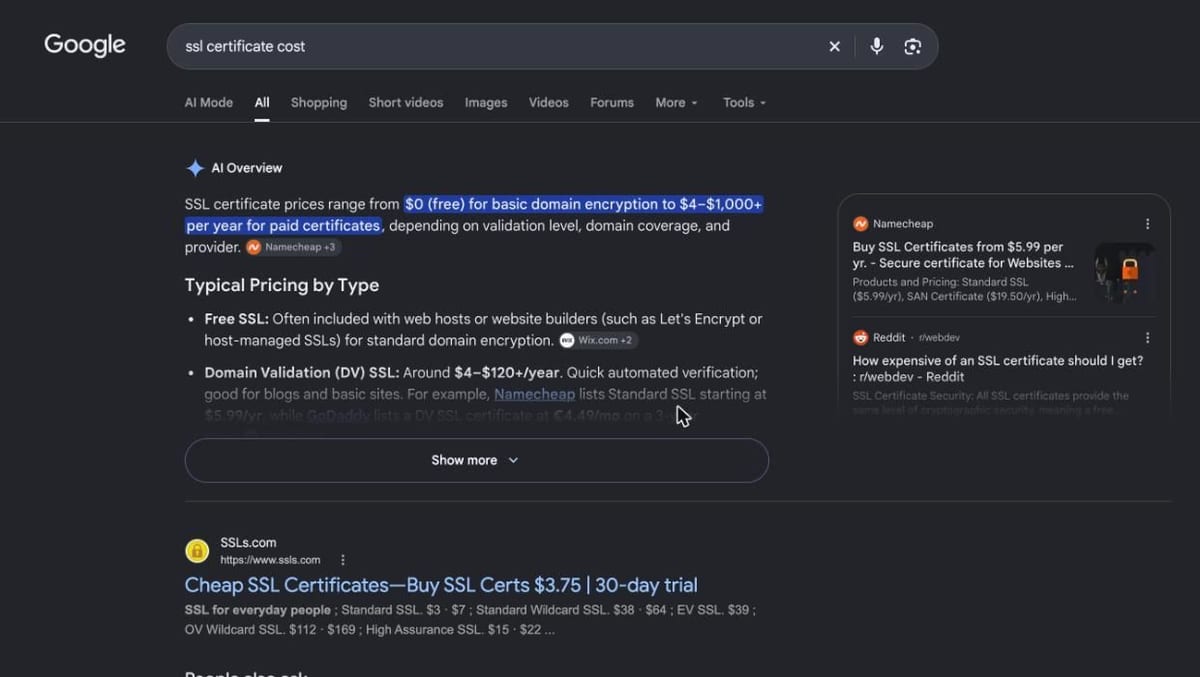
Google's answer for the query from the UAE, captured the day this post was written. It gives a price range and says nothing about how long a certificate now lasts.
How much is SSL per year?
A certificate costs between nothing and $1,495 a year, depending on who issues it and how much they check about your company. Let's Encrypt and Cloudflare cost nothing. DigiCert lists base prices from $218 for its Basic certificate to $1,495 for Secure Site Pro EV.
| Option | Yearly price | Warranty | Renews itself? |
|---|---|---|---|
| Let's Encrypt | $0 | None | Yes, through your host or server |
| Cloudflare Universal SSL | $0 | None | Yes, Cloudflare handles it |
| DigiCert Basic | $218 | $1.25 million | Depends on your setup |
| DigiCert Secure Site | $399 | $1.75 million | Depends on your setup |
| DigiCert Secure Site EV | $995 | $1.75 million | Depends on your setup |
Source: Let's Encrypt FAQ, Cloudflare Universal SSL and DigiCert certificate comparison, read 2026-11-21
The free rows are domain validated. The certificate authority confirms you control the domain and nothing else, which Cloudflare states plainly in its own documentation. For a business website that takes no payment details itself, a domain check is usually all anyone asks for.
A cost we often see in older setups is a paid certificate installed by hand years ago. Nobody remembers who bought it, and the card on the account has since expired. We covered the same trap for domains in what a business domain should cost.
When is a paid certificate still worth it?
A paid certificate is worth it when a client, a bank or a contract asks for company validation, or when you want a vendor's support line. It is rarely worth it for the badge, because Chrome stopped showing the company name next to the address bar in Chrome 77.
The Chrome team moved that information into the menu behind the padlock. Its own research found the old display did not protect users as intended, and it notes Apple made a similar change in Safari. So an extended validation certificate no longer buys the visible trust signal it used to.
There are honest reasons to pay. Some payment providers and enterprise buyers ask for organisation validation in their security questionnaires. Some teams want a named support contact during an outage. If neither applies to you, the free certificate is the sensible default.
What changes when certificates last 200, 100 and 47 days?
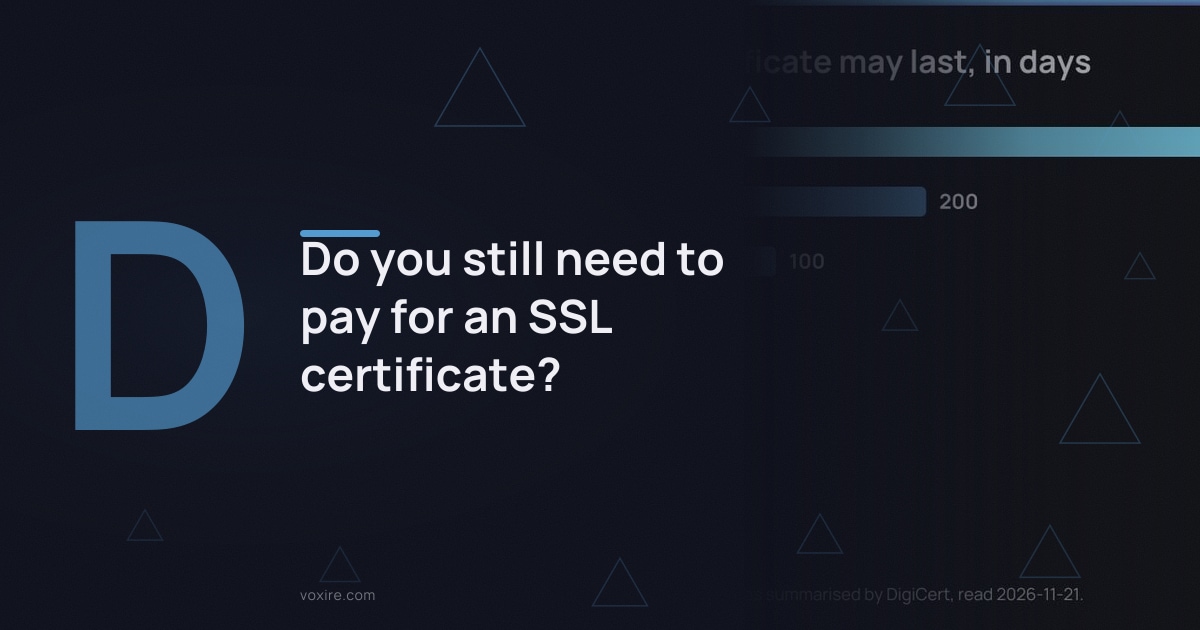
Shorter certificates mean renewal must be automatic, because nobody will renew by hand every few weeks. The maximum fell from 398 days to 200 on 15 March 2026, falls to 100 on 15 March 2027 and to 47 on 15 March 2029, in DigiCert's summary of ballot SC-081.
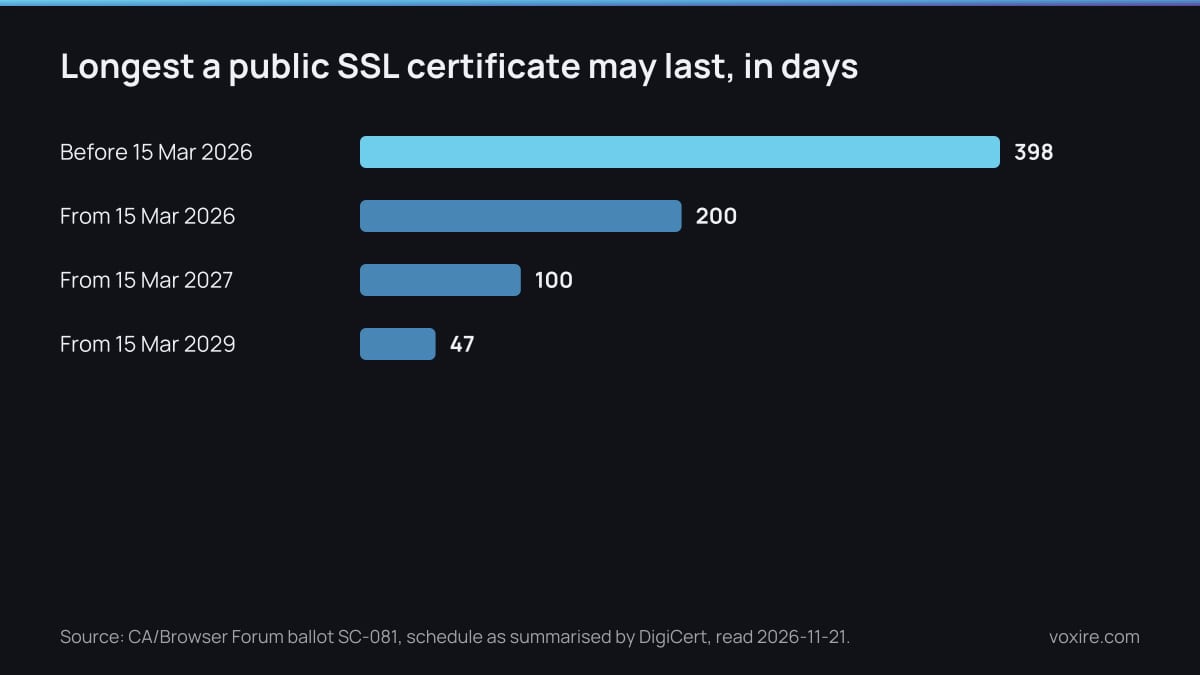
Each step roughly halves how often someone, or something, has to renew the certificate.
The ballot itself, published by the CA/Browser Forum, was proposed by Apple and endorsed by Sectigo, Google Chrome and Mozilla. The domain check that sits behind a certificate shrinks too, to 10 days by 2029. That makes a manual yearly routine impossible.
Free certificates are moving the same way. Let's Encrypt says its default certificates drop from 90 days to 64 days on 10 February 2027, and to 45 days on 16 February 2028. A setup that renews on a fixed timer every 60 days will stop working, by its own warning.
Paid vendors know this. Sectigo now includes automation with every certificate it sells, so you do not have to track expiry dates. The difference between paid and free is shrinking to support and identity checks.
What happens if your site still has no HTTPS?
Visitors on Chrome get a warning before your site opens. Google said it would turn on "Always Use Secure Connections" for public sites by default with Chrome 154 in October 2026, so Chrome asks permission before loading a public site without HTTPS.
That warning sits in front of your homepage, your contact form and your checkout. Every visitor who reads it has a reason to leave before they see what you sell.
Search is a smaller factor. Google has used HTTPS as a ranking signal since 2014, and at the time called it a very lightweight signal affecting fewer than 1% of global queries. The browser warning costs you far more visitors than the ranking does.
Who should own the renewal?
Whoever controls the server or the host should own renewal, and you should own the alert that tells you it failed. Do not rely on the certificate authority to email you: Let's Encrypt stopped sending expiry reminders on 4 June 2025.
In its notice, it pointed subscribers to third-party monitoring and named Red Sift, which it says is free for up to 250 certificates. Any uptime tool that checks certificate expiry does the same job. We set up that kind of check in website monitoring for broken forms.
Write the owner down. A certificate renewed by a freelancer's script on a server only they can reach is a site that breaks the month they move on. The same goes for a certificate tied to a hosting account in someone else's name. This is part of the handover we include in website maintenance.
What should you actually do this week?
This week, find out which certificate your site uses, who renews it and whether renewal is automatic. It takes about ten minutes in a browser and one email to whoever runs your hosting. Do these in order:
- Click the padlock in Chrome and open the certificate details. Note the issuer and the expiry date.
- If the issuer is Let's Encrypt or your host's free certificate, ask whether renewal is automatic.
- If you pay for a paid certificate, ask why. Keep it only for a stated reason, such as company validation a client requires.
- Turn on an expiry check in an uptime or monitoring tool, sending alerts to an address you read.
- Open your site with no www and with http at the start. Both should land on the secure address.
Sources
- CA/Browser Forum: Ballot SC-081v3, read 2026-11-21
- DigiCert: TLS certificate lifetimes will officially reduce to 47 days, read 2026-11-21
- DigiCert: compare TLS/SSL certificates, read 2026-11-21
- Let's Encrypt: FAQ, read 2026-11-21
- Let's Encrypt: decreasing certificate lifetimes to 45 days, read 2026-11-21
- Let's Encrypt: ending expiration notification emails, read 2026-11-21
- Cloudflare: Universal SSL, read 2026-11-21
- Sectigo: SSL/TLS certificates, read 2026-11-21
- Chromium: EV UI moving to Page Info, read 2026-11-21
- Google Online Security Blog: HTTPS by default, read 2026-11-21
- Google Search Central: HTTPS as a ranking signal, read 2026-11-21
Enjoying this article?
Enter your email and get a clean, formatted PDF of this article: free, no spam.
Not sure who renews your site's certificate?
Send us your website address. We will tell you which certificate it uses, whether it renews itself, and what to change before the next limit arrives.
Voxire
Web Development
Custom websites, Next.js and React applications, and the engineering decisions behind sites that stay fast under real traffic. Core Web Vitals, headless CMS choices, migrations, and what performance work is actually worth paying for.
Learn more