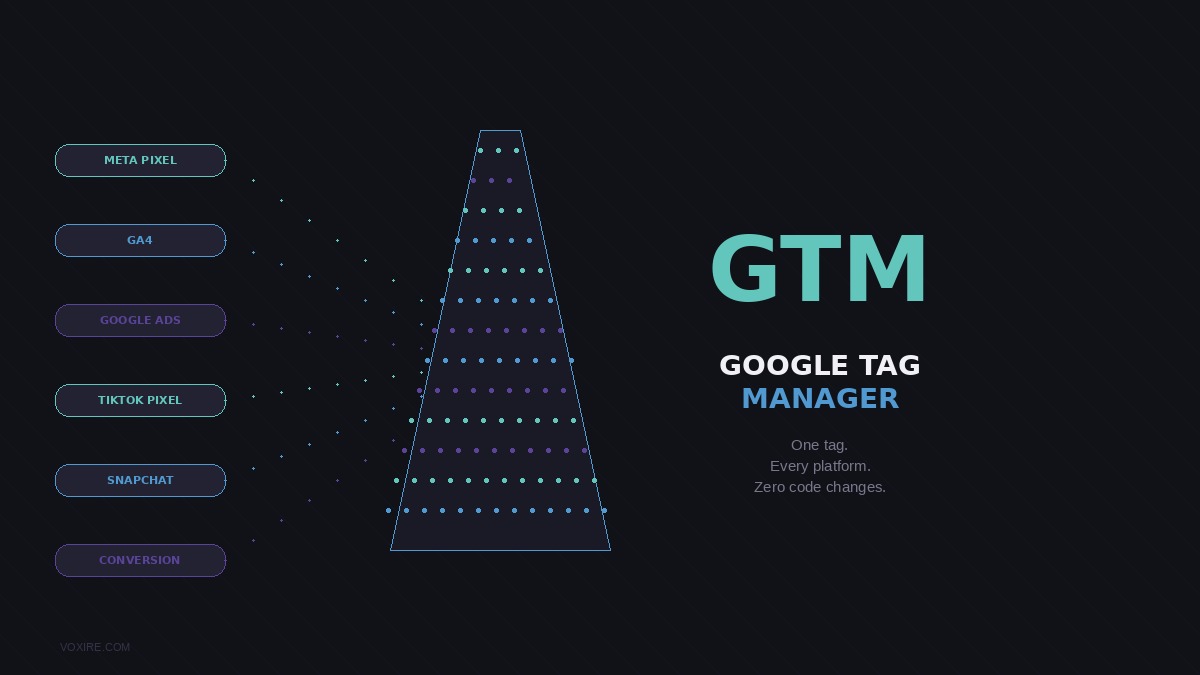
Google Tag Manager lets you add and update tracking codes on your Lebanese website without touching the source code each time. If you are running ads on Meta, Google, TikTok, or Snapchat and your website is not using GTM yet, you are making your marketing team's life harder than it needs to be.
Google Tag Manager lets you add and update tracking codes on your Lebanese website without touching the source code each time. If you are running ads on Meta, Google, TikTok, or Snapchat and your website is not using GTM yet, you are making your marketing team's life harder than it needs to be.
What is Google Tag Manager and why do Lebanese marketers need it?
Every advertising and analytics platform, Google Ads, Meta Ads, TikTok Ads, Snapchat Ads, LinkedIn Ads, and Google Analytics 4, requires you to install a tracking pixel or code snippet on your website. In the early days of digital marketing, this meant your developer had to edit the website's HTML every time you wanted to add a new pixel or update an existing one. See also: Staff Attendance and Time Tracking for Lebanese Businesses for the topic-specific playbook.
Google Tag Manager (GTM) solves this problem. You install it once on your website (one code snippet) and then you manage every other tracking tag through GTM's browser-based dashboard. Adding a new Meta pixel? Do it in GTM without touching the site. Setting up a conversion event when someone submits your contact form? Configure it in GTM. Removing an old tag that is no longer needed? Delete it in GTM in seconds.
For Lebanese businesses running multi-channel advertising, which is almost every business doing serious digital marketing in Lebanon today, GTM is not optional. It is infrastructure.
How does GTM actually work?
GTM has three core concepts: Tags, Triggers, and Variables.
Tags are the code snippets you want to run: your GA4 tracking code, your Meta pixel, your Google Ads conversion tag, your TikTok pixel.
Triggers are the conditions that make a tag fire: when a page loads, when someone clicks a specific button, when a form is submitted, when a user scrolls to 50% of the page, when someone stays on the page for 30 seconds.
Variables are the pieces of data GTM can read and pass into your tags: the URL of the current page, the value in a form field, the product ID from your e-commerce site, or a custom data point you define.
Here is a practical example relevant to Lebanese businesses: You run an e-commerce store and want to track exactly which products people add to their cart. In GTM, you create a trigger that fires when the "Add to Cart" button is clicked, attach a variable that reads the product name and price from the page, and connect that to a tag that sends this data to GA4 and your Meta pixel simultaneously. Your developer sets this up once in GTM, and from then on your marketing team can see cart abandonment data and build lookalike audiences in Meta based on actual purchase intent. See also: Threads Marketing for Lebanese Businesses in 2026 for the topic-specific playbook.
What Lebanese businesses typically track with GTM
Here is what we set up for most of our clients at Voxire:
Google Analytics 4 page views and events. GA4 is now the standard, and GTM is the cleanest way to deploy it and configure custom events without cluttering your codebase.
Meta Pixel with standard and custom events. Tracking page views, ViewContent, AddToCart, InitiateCheckout, and Purchase events gives your Meta Ads algorithm the data it needs to optimize campaigns for Lebanese audiences. Many businesses in Lebanon are running their Meta ads blind because their pixel is only firing basic page views.
Google Ads conversion tracking. When someone submits your quote form or makes a purchase, GTM fires a conversion tag back to Google Ads so your campaigns can optimize for actual business outcomes rather than clicks.
TikTok Pixel. TikTok advertising is growing fast in Lebanon, especially for e-commerce and consumer brands. GTM makes deploying and managing the TikTok pixel straightforward.
Snapchat Pixel. For brands targeting younger Lebanese audiences, Snapchat remains relevant and the pixel setup in GTM is identical to any other platform. For the campaign side, formats, targeting, costs, and creative, see our Snapchat Ads in Lebanon and MENA: 2026 Playbook.
WhatsApp click tracking. Lebanese businesses rely heavily on WhatsApp for sales. GTM can track clicks on your WhatsApp button as conversion events so you can measure which ads and pages generate the most WhatsApp inquiries.
Scroll depth and engagement time. Understanding whether visitors are actually reading your content or bouncing immediately helps you improve your pages and is a useful signal for GA4 audiences.
Common mistakes Lebanese businesses make with GTM
GTM gives you power, and with power comes the ability to break things. Here are the most common issues we fix when auditing clients' GTM setups:
Firing conversion tags on thank-you pages without deduplication. If your form redirects to a thank-you page and you have both a GTM tag and a hard-coded pixel firing the same event, Meta and Google count the conversion twice. This inflates your conversion numbers and confuses your bidding algorithms.
No preview and debug testing before publishing. GTM has a built-in preview mode that lets you test every tag before it goes live. Skipping this step and publishing directly is how conversion tracking breaks silently for weeks without anyone noticing.
All tags firing on every page. Some tags should only fire on specific pages. A purchase confirmation tag should only fire on the order confirmation page. Firing it on every page inflates your conversion data to the point of uselessness.
Not filtering out internal traffic. If your own team is visiting the website regularly from the same office IP, they are polluting your analytics data with non-customer behavior. GTM can filter these out.
Outdated tags from agencies or campaigns that ended. Lebanese businesses that have worked with multiple agencies over time often have five or six stale tags from old campaigns still firing on every page, slowing the site down and sending data to abandoned accounts.
How does GTM affect website performance?
A properly configured GTM setup has minimal impact on page speed because tags load asynchronously: they do not block your page from rendering. In fact, a well-managed GTM container is typically faster than having multiple tracking scripts manually embedded directly in your HTML, because GTM loads them in a controlled, optimized way.
However, a poorly configured GTM container with dozens of tags firing on every page load can slow things down. Regularly auditing and cleaning your GTM container, removing unused tags, consolidating redundant tracking, and using proper trigger conditions, is maintenance your marketing team should do at least quarterly.
Setting up GTM on a Lebanese website: what to expect
For a Lebanese business setting up GTM fresh, here is a realistic timeline:
Initial GTM setup and GA4 deployment: half a day of developer time. This includes installing the GTM container snippet, migrating any existing analytics tags into GTM, and verifying everything is working.
Meta Pixel with standard e-commerce events: 1-2 days, depending on how well structured your e-commerce platform is. Platforms like Shopify have GTM integrations that simplify this significantly.
Full conversion tracking across Google Ads, Meta, TikTok, and Snapchat: 2-3 days for a thorough setup with testing and verification across all platforms.
If you are on a tight budget, start with GTM + GA4 + Meta Pixel as a minimum viable tracking stack. Add the other platforms as your advertising budget grows.
GTM setup and proper tagging architecture are part of every site Voxire builds. If you need a clean implementation from scratch alongside a new website, our web development in Lebanon service includes full analytics and tracking setup.
Ready to get your tracking set up properly?
Voxire sets up and audits GTM for Lebanese businesses running multi-channel digital marketing. A properly configured tracking setup means better ad optimization, cleaner data, and more confident marketing decisions. Get in touch with us today and we will audit your current setup for free.
Enjoying this article?
Enter your email and get a clean, formatted PDF of this article: free, no spam.
Voxire
Digital Marketing
Paid media, SEO, content, and lifecycle marketing across MENA. Google Ads, Meta, TikTok and Snapchat, measurement that survives the loss of third-party cookies, and campaign structures built to be audited rather than admired.
Learn more